

Appearance
PICMI at a glance
PICMI is an opportunity and engagement platform for organisations. It supports employment, services, placements, and workforce participation by helping you manage opportunities, intake, applications, agreements, and the move into ongoing participation.
Use these one-page explainers to see how PICMI fits together. Start with the small previews to understand the whole product, then open any one-pager when you want to read the detail or download it for sharing.
Product overview
1Attract and engageFind people and organisations
2Understand and agreeGuide people through an application
3Onboard and deliverMove into the ongoing relationship
note
The cards are arranged from the outside of PICMI inwards: the relationships PICMI supports first, then the people and access methods inside them, and finally the workflow structure that makes the experience consistent.
One-page explainers
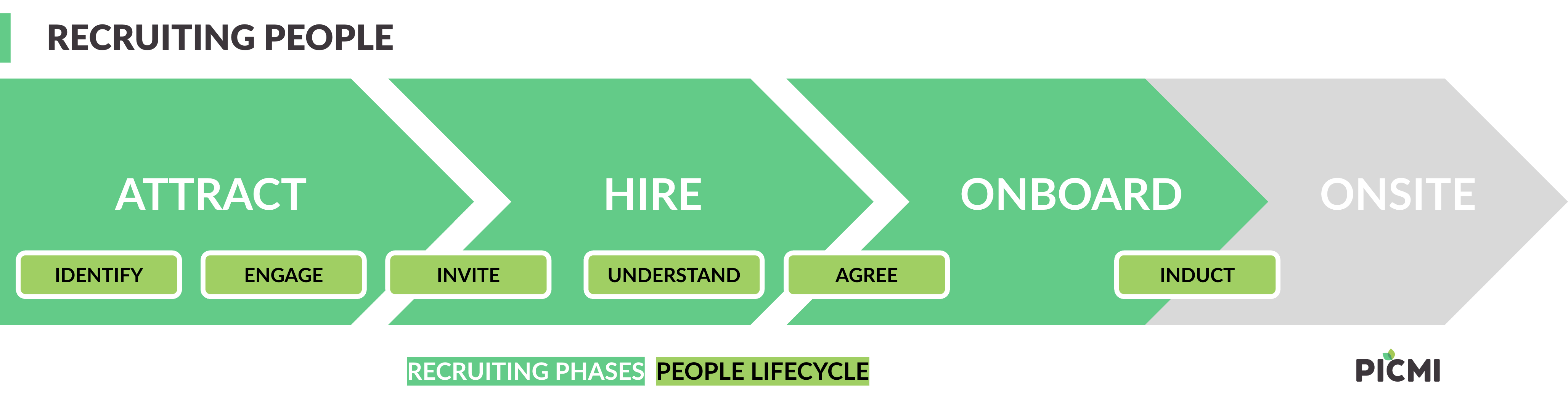
Recruiting people
How PICMI supports the employment journey from attracting people to onboarding them.Open one-pager Close one-pager
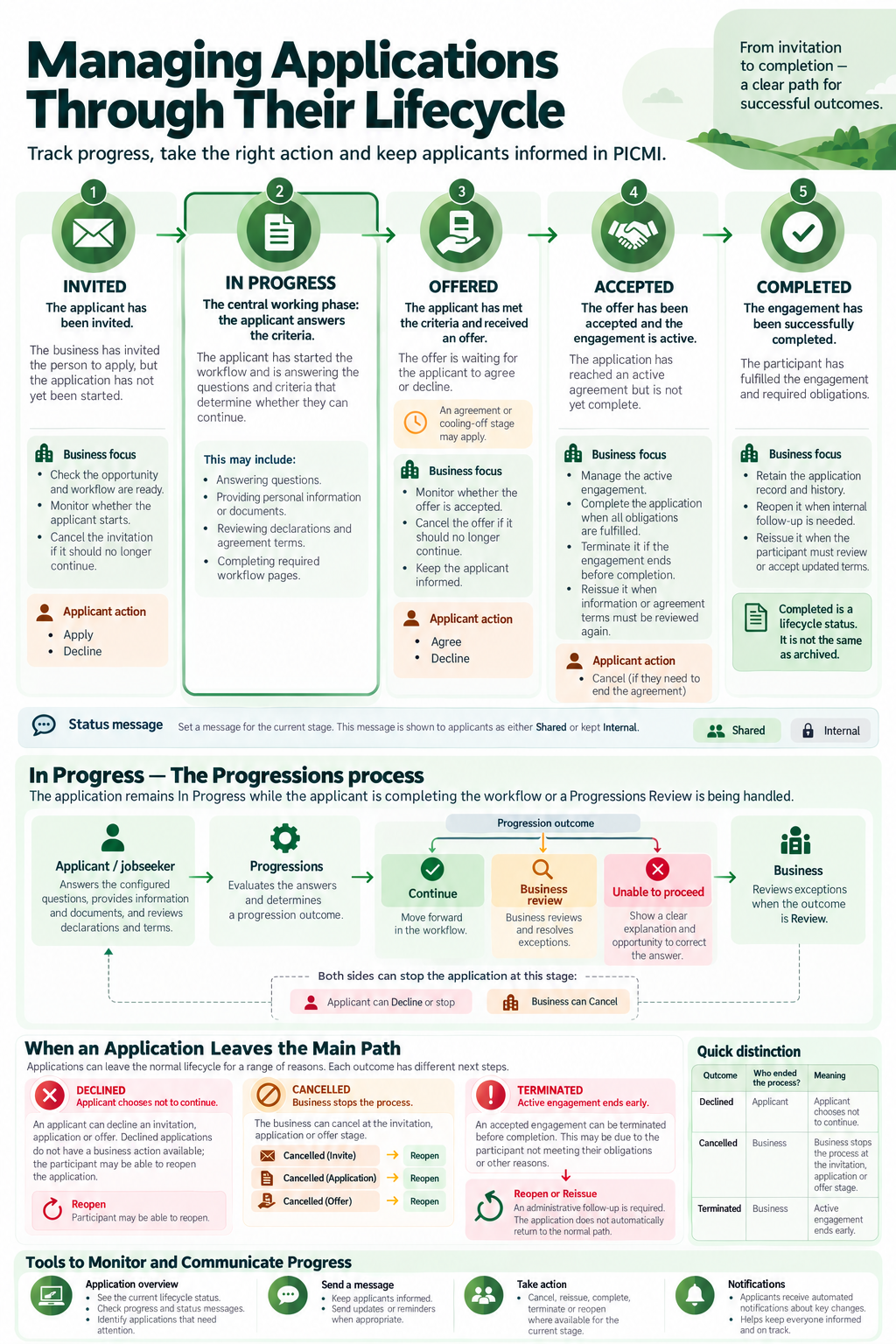
Managing applications
Track an application from invitation through completion, including progressions, actions, and outcomes.Open one-pager Close one-pager
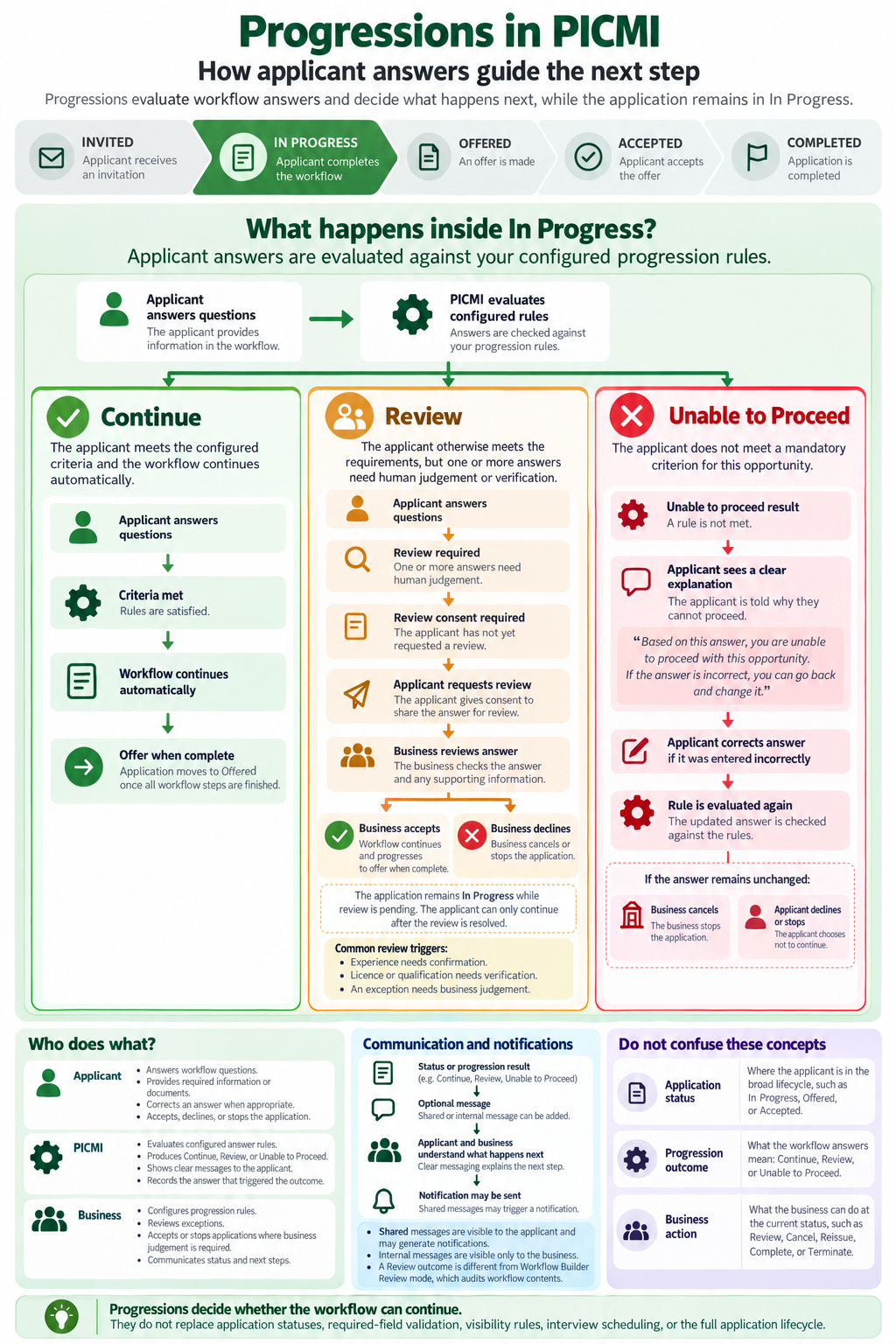
Understanding Progressions
How applicant answers guide automatic continuation, business review, or an unable-to-proceed outcome.Open one-pager Close one-pager
For the detailed explanation, see Progressions in workflows.
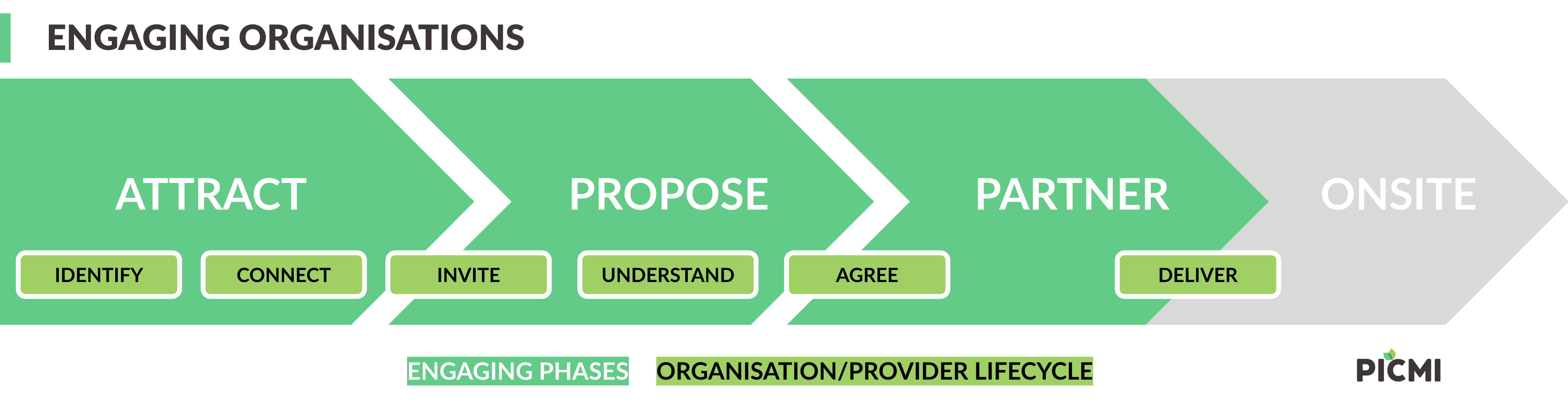
Engaging organisations
How PICMI supports service relationships from first connection through delivery.Open one-pager Close one-pager
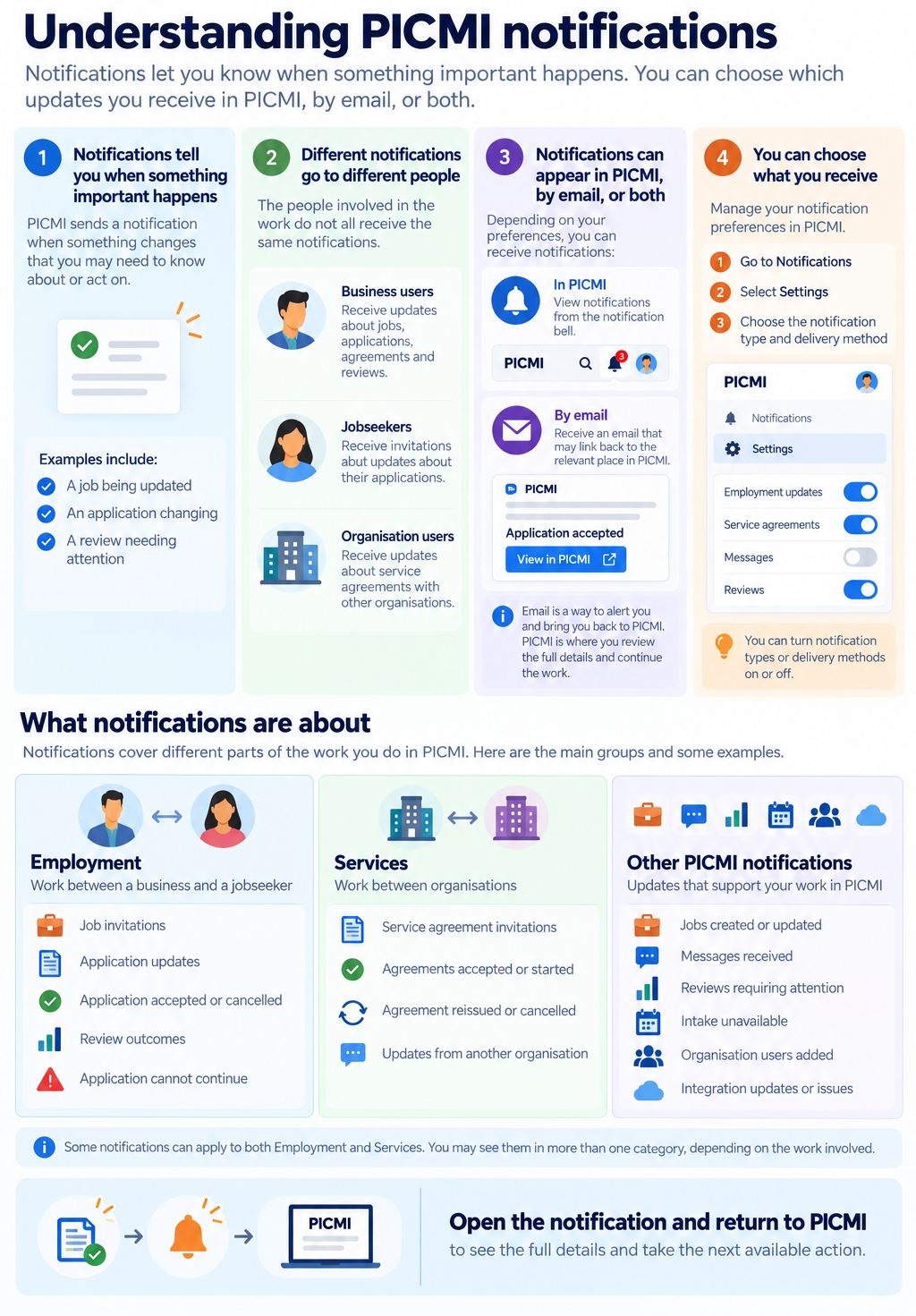
Understanding notifications
How PICMI lets you know about important updates in the app, by email, or both.Open one-pager Close one-pager
For notification types and delivery settings, see Notifications in PICMI.
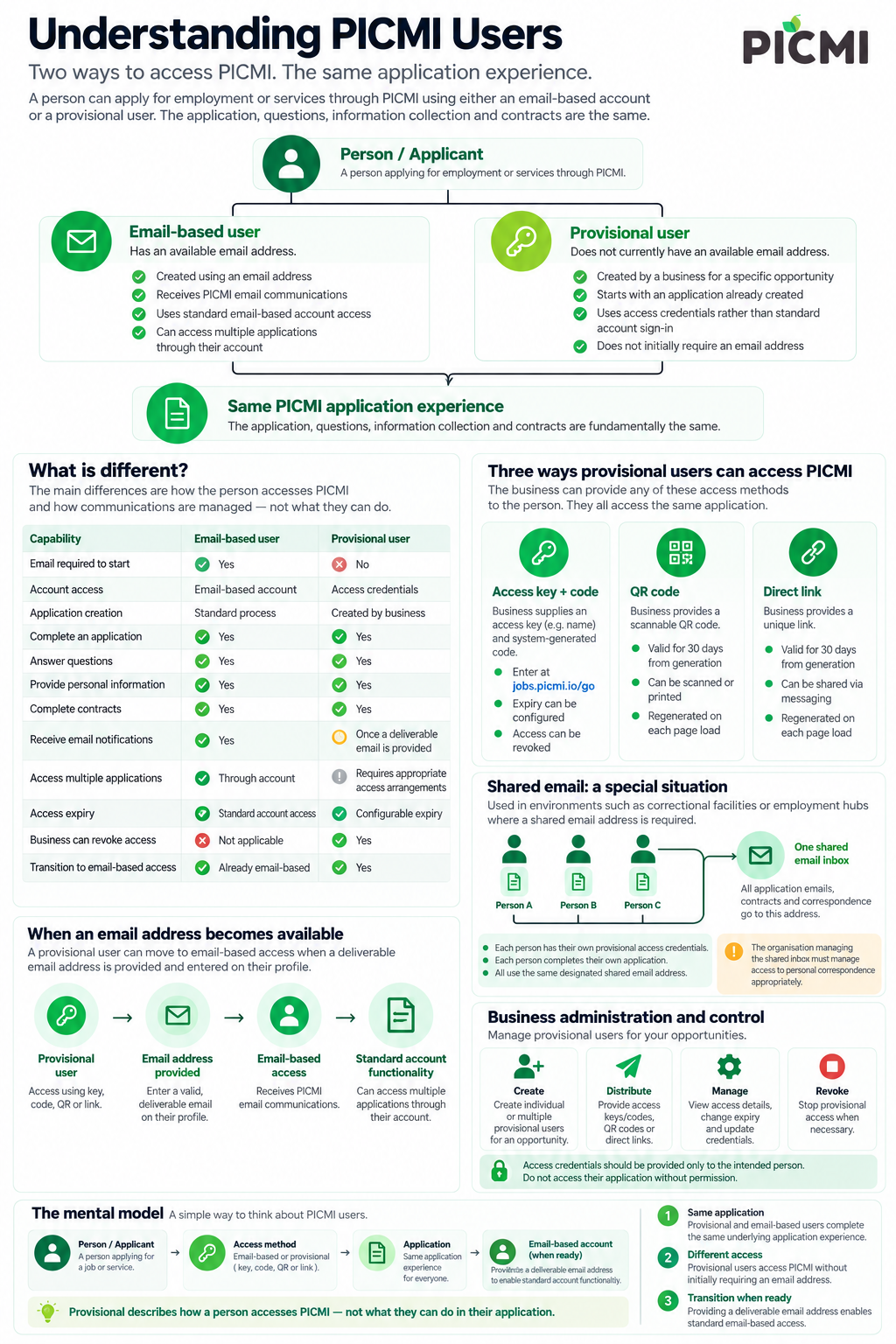
Understanding users
The two access paths into the same PICMI application experience.Open one-pager Close one-pager
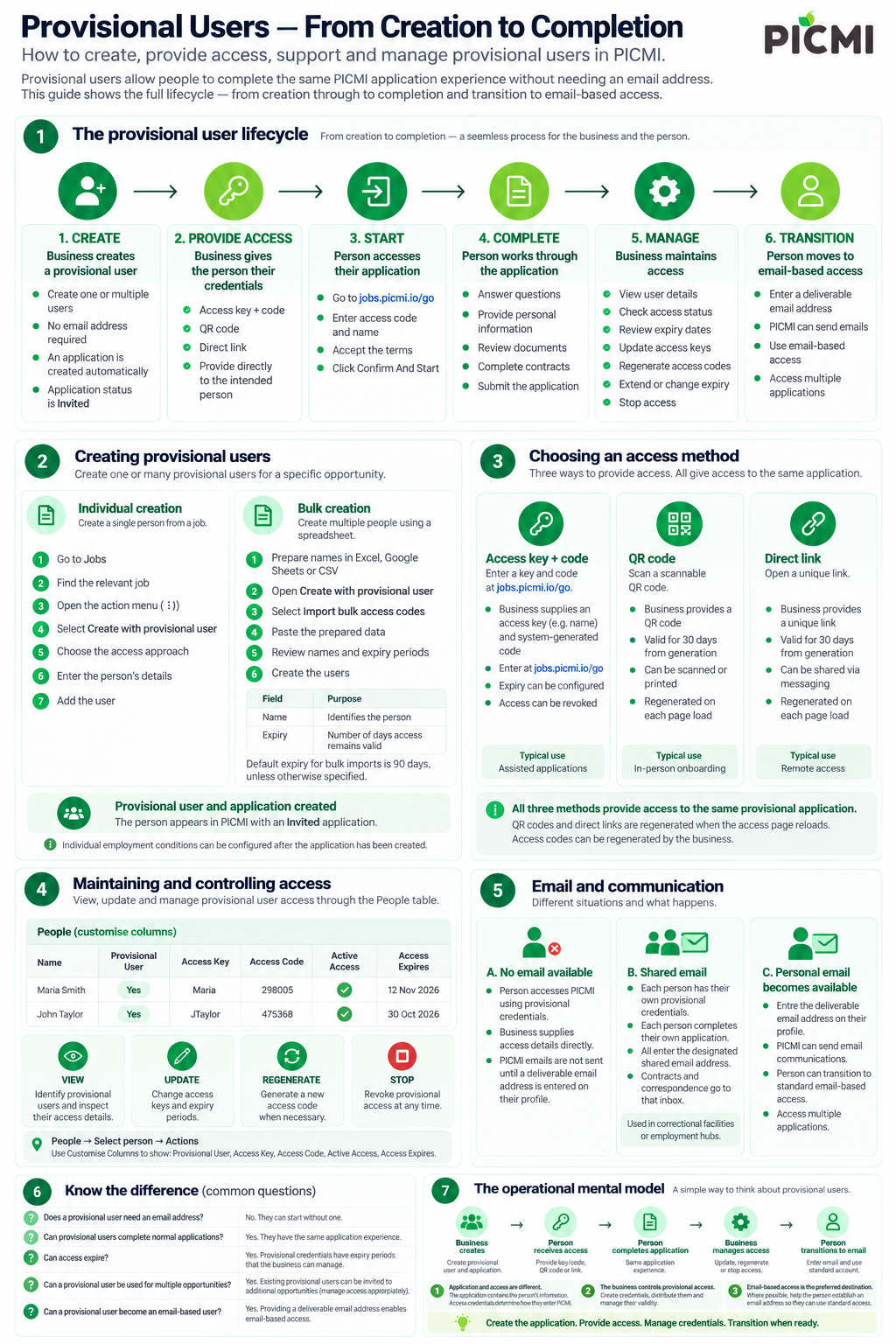
Provisional users
From creation and access through completion and transition to email-based access.Open one-pager Close one-pager
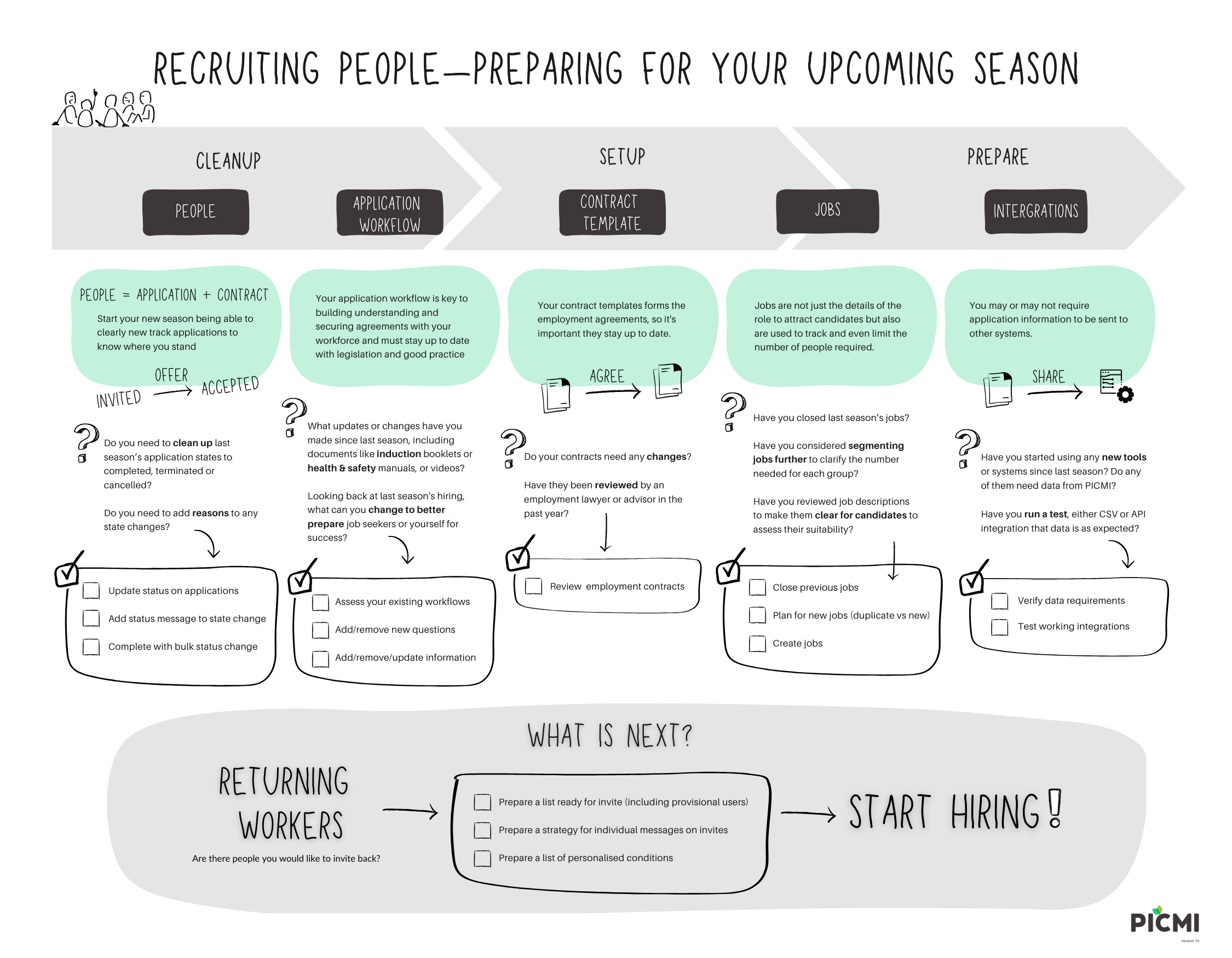
Upcoming season
A practical checklist for preparing people, workflows, contracts, jobs, and integrations before hiring begins.Open one-pager Close one-pager
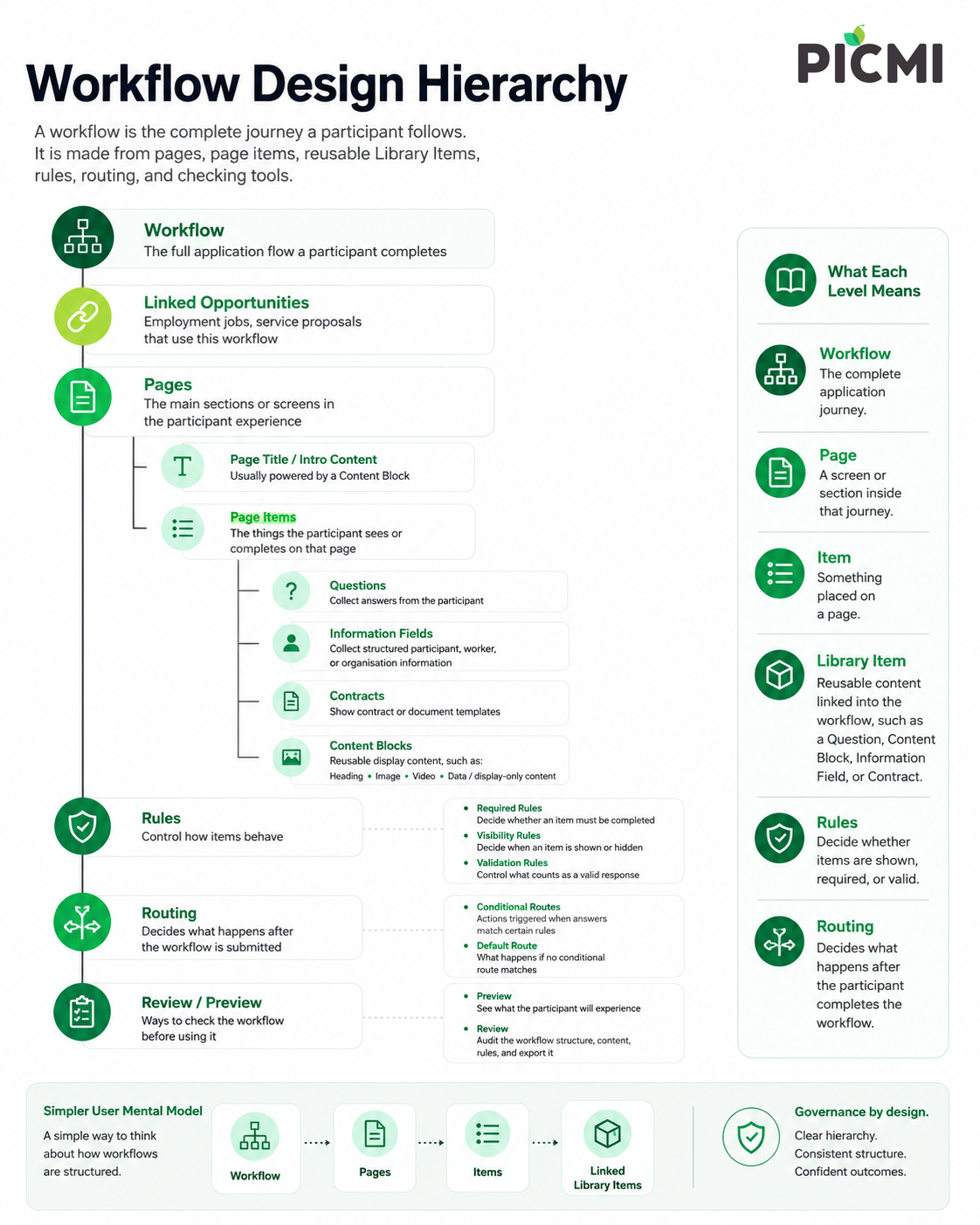
Workflow design hierarchy
How workflows, pages, items, rules, routing, and review fit together.Open one-pager Close one-pager
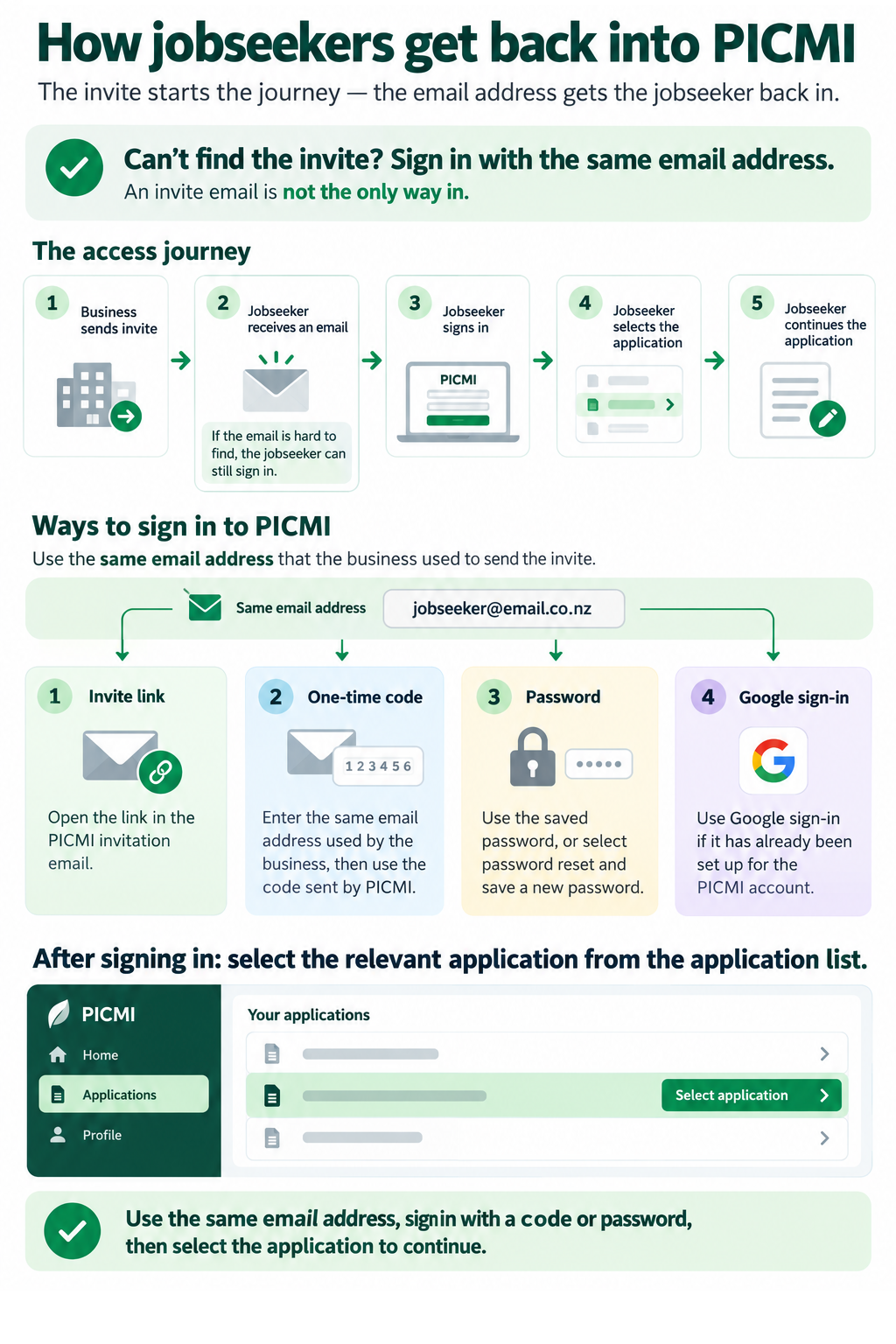
How jobseekers get back into PICMI
How jobseekers use their email address, a code or password to sign in and continue an application.Open one-pager Close one-pager
For detailed instructions, see Signing in as a jobseeker. For help when an invite email cannot be found, see Email not found in inbox.
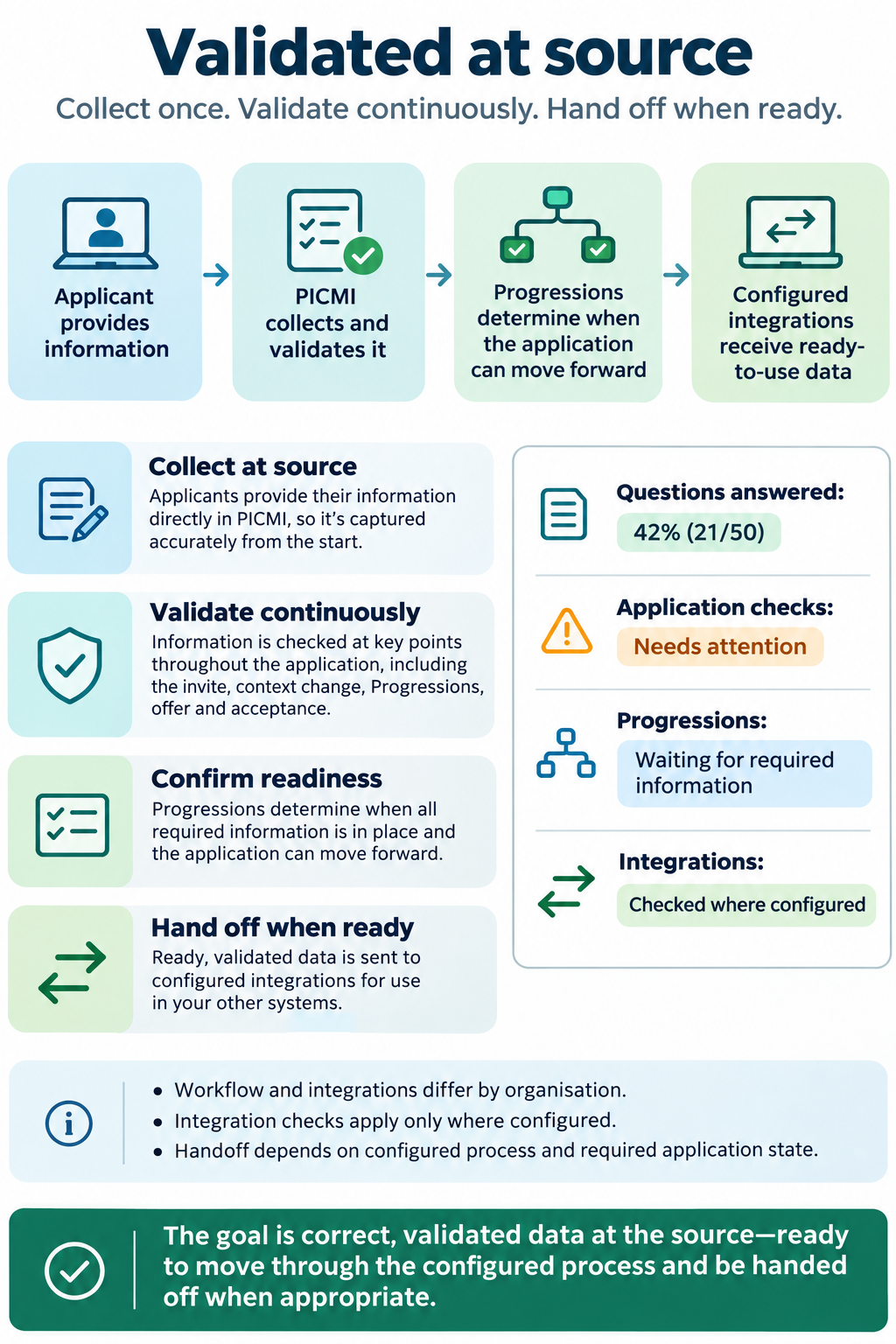
Validated at source
How PICMI collects applicant information, validates it throughout the lifecycle, and prepares it for configured handoff.Open one-pager Close one-pager
For more about application progress and workflow decisions, see Progressions in workflows and Managing applications. For help, contact PICMI support.
Keep exploring
- Recruiting people for the employment model
- Engaging organisations for the service model
- Notifications in PICMI for notification types and delivery settings
- Understanding users for access methods and account types
- Understanding workflows for the application structure
- Progressions in workflows for how workflow answers guide the next step