

Appearance
Using the Workflow Builder
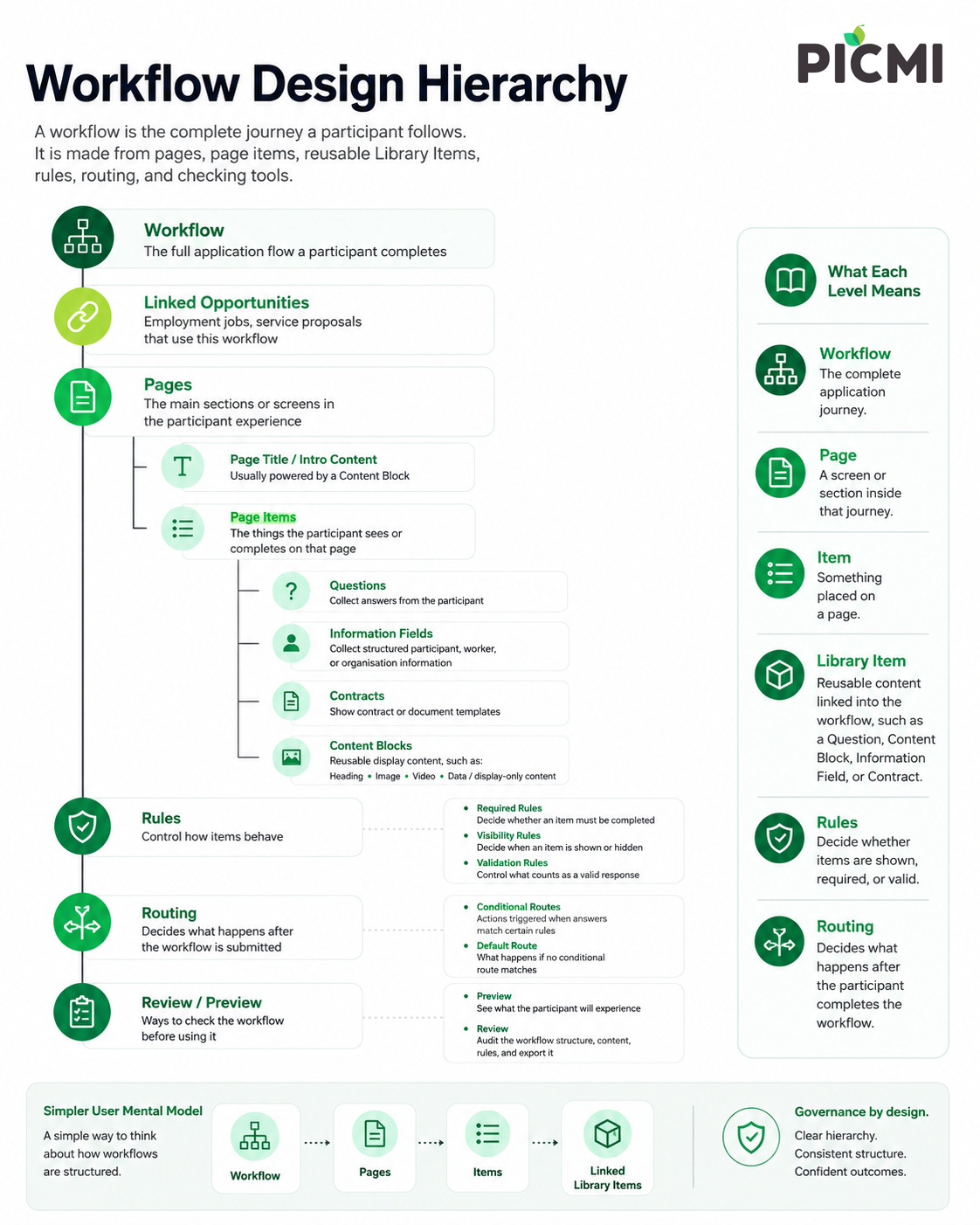
The Workflow Builder is where you manage workflow structure, preview the participant experience, and review workflow contents.
Open the Workflow Builder
- Go to Setup > Workflows.
- Locate the workflow row, click ⋮ (vertical dots) to open the menu.
- Choose Preview, Edit, or Review mode.
Builder modes
| Mode | Use it to |
|---|---|
| Preview | Check the participant experience across desktop, tablet, and mobile frame sizes |
| Edit | Change workflow pages, item placement, Library Items, required state, visibility, and linked details |
| Review | Audit workflow contents in a searchable table and export the review data |
note
Review mode is a builder mode for auditing contents. A routing Review outcome means a participant answer needs human review before the workflow can continue.
What the builder manages
Use the builder to manage:
- pages and page order
- items on pages
- library items linked to the workflow
- required or optional state
- visibility conditions such as visible when...
- preview and review checks before using the workflow
Library Items
Library Items are reusable cross-workflow items. They include Questions, Information, Content Blocks, and Contracts.
The workflow controls where a Library Item appears. The Library Item controls what the participant sees or what template, field, validation, or content is reused.